


Spirit Level Ready
This tool uses your device's motion sensors to detect tilt and level. Tap the button below to activate.
Works best on mobile devices with gyroscope sensors.
BGE Curriculum
S1–S3 learning for life and the future.
Faculties & Subjects
News, courses and creativity from every subject.
Remote Learning
Learn anywhere with online resources.
TEACHING RESOURCESTHE CURRICULUM
Learning through Scotland's Curriculum for Excellence.
DISCOVER BGE PROGRESS TRACKERStudy Starts Now
Your hub for SQA exam success at Stranraer Academy.
The Headteachers Office
News, updates and student achievements from the Headteacher's Office.
The Teachers Lounge
Catch daily updates and social feeds from all subjects.
Film Archive
Archive for Legacy Media Production.
NEWSROOM
Stay up to date with news from Stranraer Academy.
DISCOVERMedia Production
See our amazing videos! Celebrate student talent and creativity.
THE DISCOVERY ROOM
Teachers & Support
Meet our dedicated staff creating a first-class learning environment.
Parent Council
The Parent Council: your voice in school decisions.
STRANRAER ACADEMY
STAFF
Inspiring, creative teaching drives everything we do at Stranraer Academy.
DISCOVERLeadership
Leading Stranraer Academy with vision and purpose.
Virtual Tour
Take an engaging virtual tour of Stranraer Academy.
Frequently Asked Questions
Your FAQs about Stranraer Academy, all in one place.
School Meal Information
Healthy meals, menu choices, free meal info, and our Healthy Recipe app.
KEY
INFORMATION
All the key info on policies, uniform, apps, school meals and more for our school community.
DISCOVER DAILY NOTICES
Welcome to the Teacher Resources hub — your one-stop shop for tools designed to make classroom life easier, more creative, and (hopefully) a bit more fun. Here you’ll find a growing collection of interactive applications and generators, from word searches and random student pickers to full-on rubric makers and creative classroom challenges.
We’re always developing, testing, and improving — new tools are added regularly based on what teachers tell us they need most. Whether it’s a practical classroom timer, a playful photography challenge, or something brand new, the aim is to save you time and spark ideas for your lessons.
💡 Don’t forget: We’re open to your recommendations. If you have an idea for a tool that would make your teaching easier, let us know — your feedback shapes what we build next.
JUMP TO:
MY TEACHER PLANNER | CLASSROOM TIMER | RANDOM STUDENT PICKER & RANDOM NUMBER GENERATOR | CLASSROOM NOISE METER | RUBRIC MAKER | PE LAP TIMER | WORDSEARCH GENERATOR | QR CODE GENERATOR | WEEKLY ART CHALLENGE | WEEKLY PHOTOGRAPHY CHALLENGE | PHOTOGRAPHY WORD PROMPT | EXPLORE OUR WORLD | INTERACTIVE PARTICLE EXPERIENCE | INTERACTIVE PERIODIC TABLE | REQUEST AN APP |
Stranraer Academy · Staff
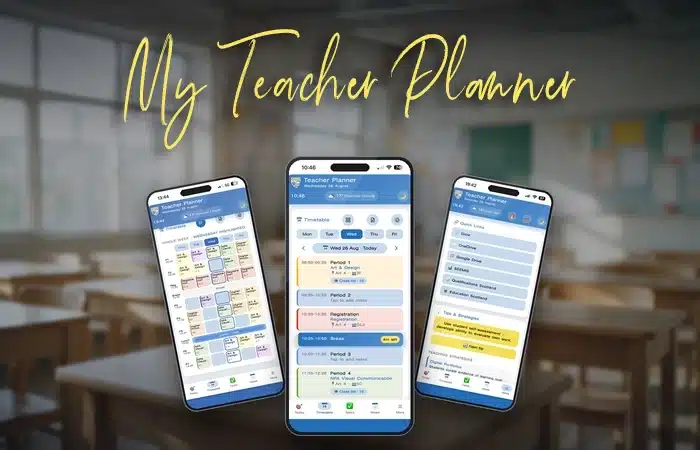
Not a generic app — a planner built around our timetable, our classes, our ASN process and our calendar. If you’ve been putting up with a paper planner, this is what’s been missing.
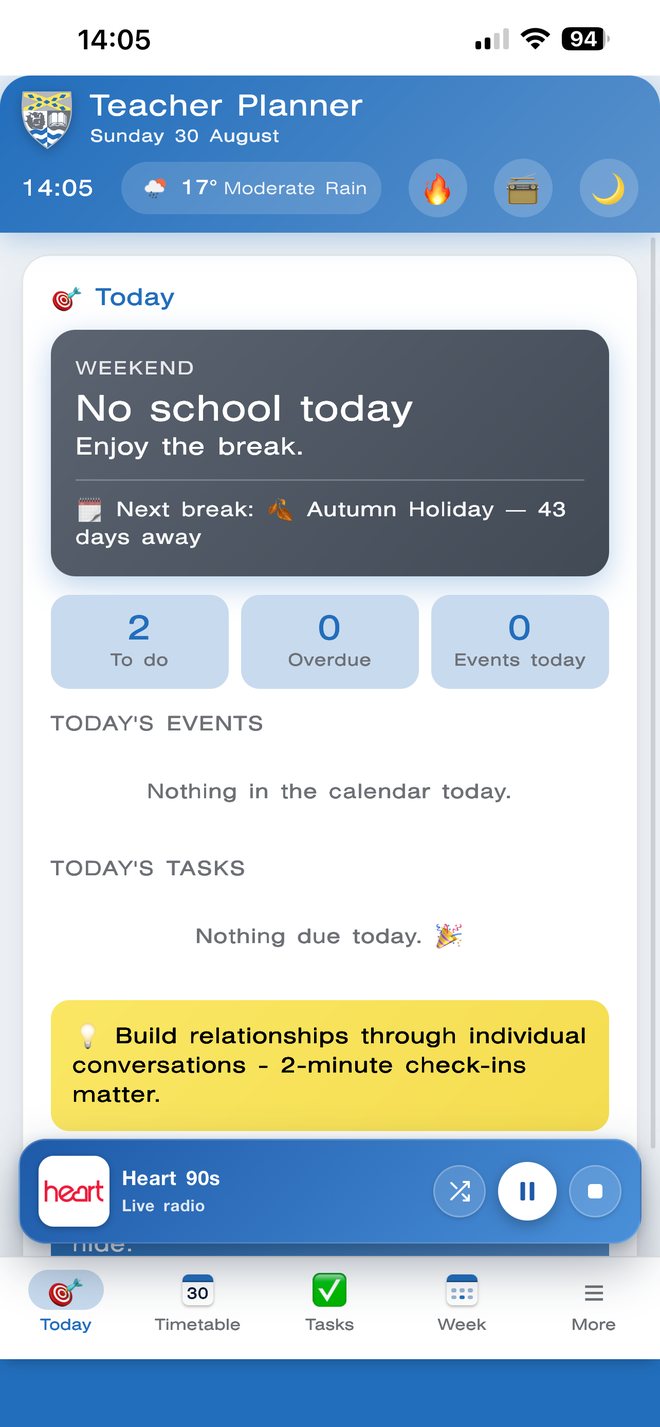
Today, at a glance
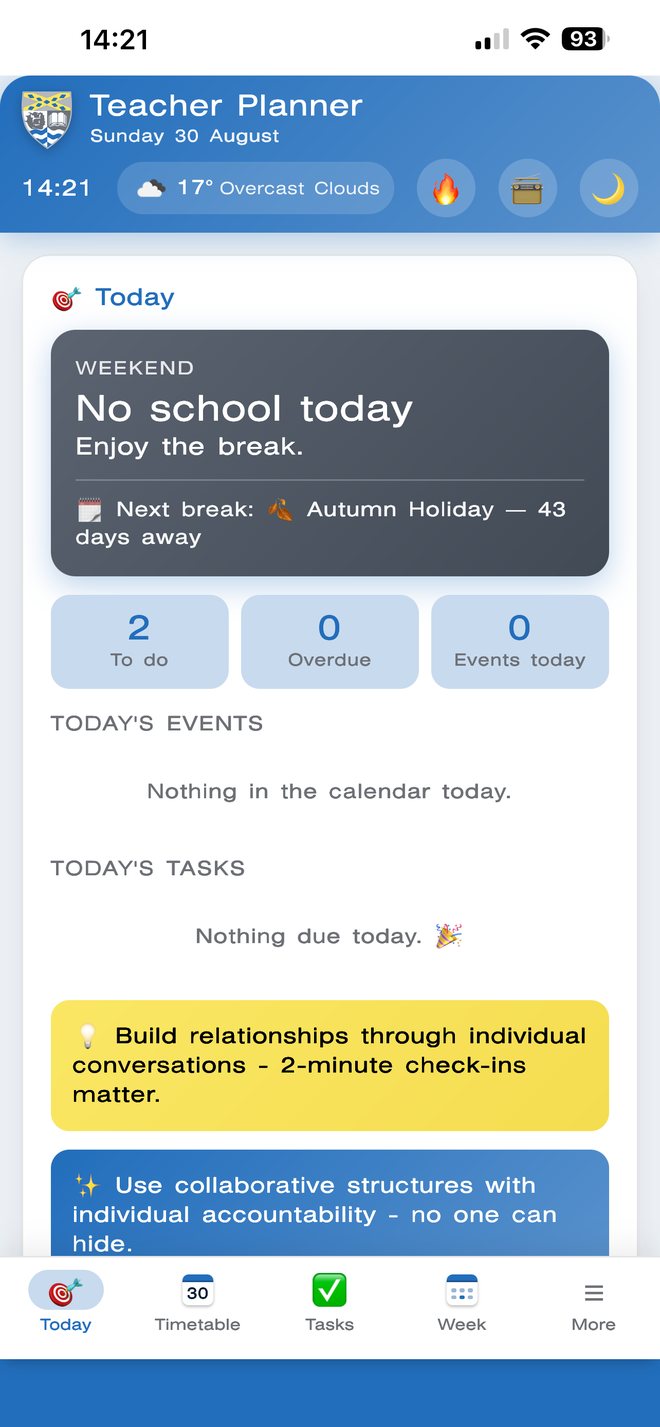
Whether there’s a lesson on or it’s the weekend, you get an at-a-glance rundown — tasks due, what’s on the calendar, and a fresh teaching tip every day.
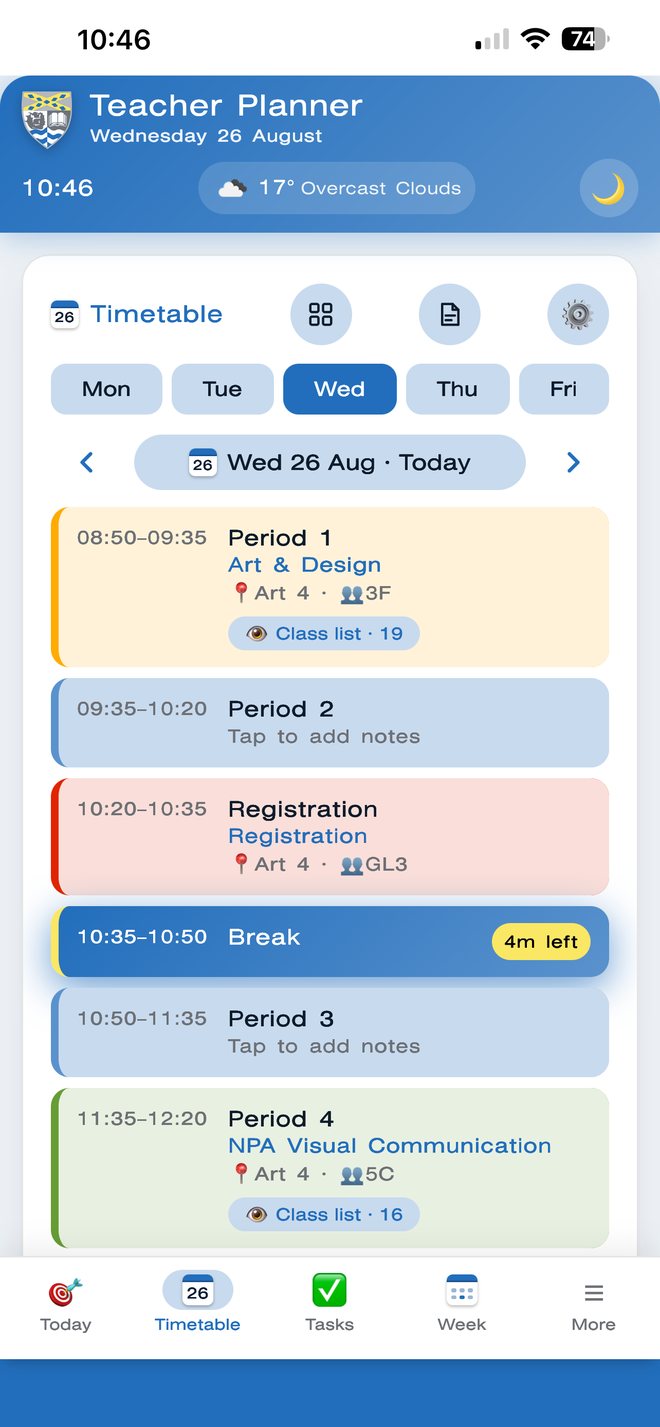
Your day, period by period
Break, lunch, registration or a lesson — whatever’s happening this minute is highlighted with a live countdown, so you always know exactly how long you’ve got.
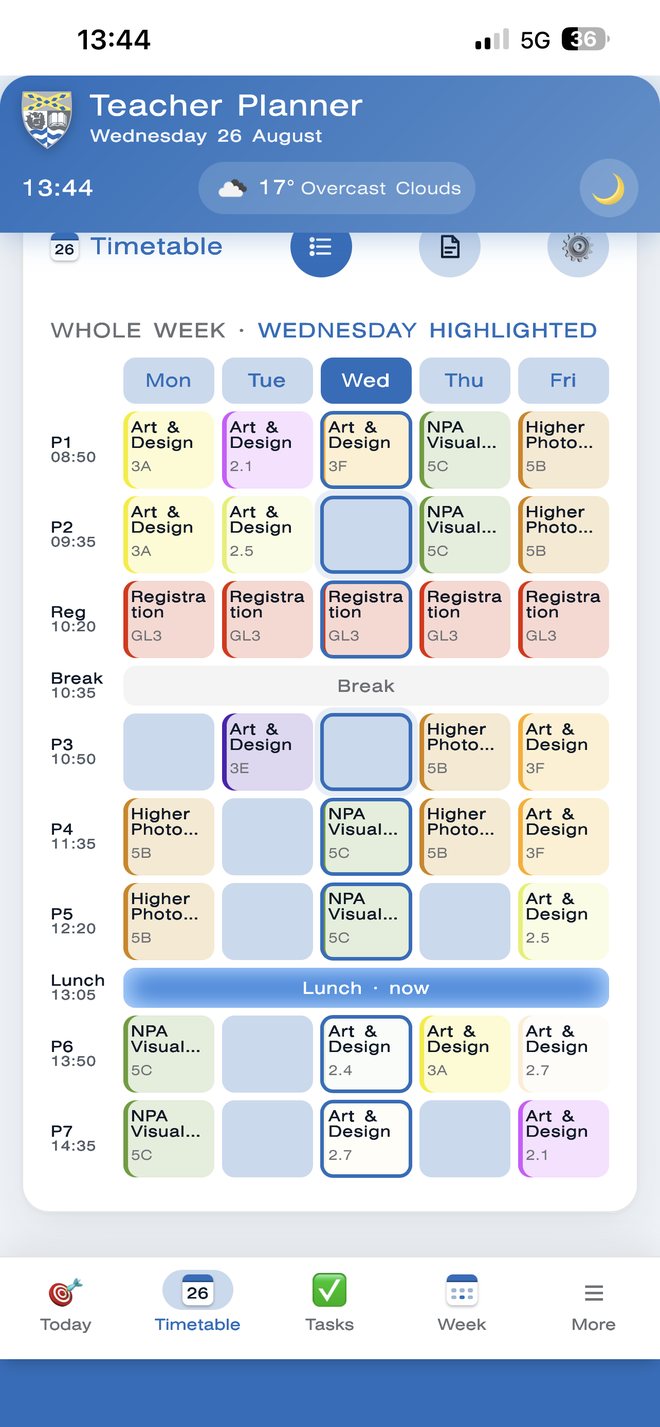
The whole week, colour-coded
The full week’s timetable in one colour-coded grid, with today’s column picked out and whatever’s happening right now highlighted live. Tap any lesson and it jumps straight to that day.
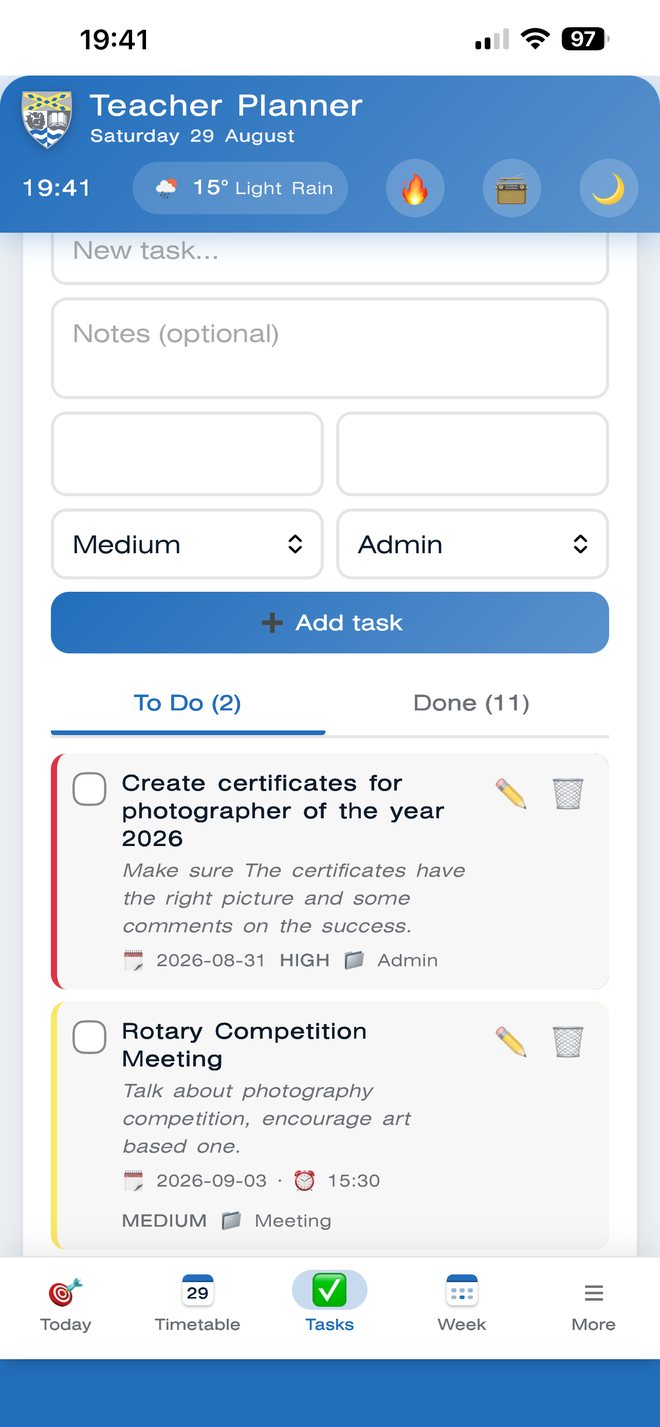
Tasks & priority
Add a task, give it a priority and a category, and it sorts itself. Enable push notifications and it’ll remind you on your phone the morning it’s due — whether the app is open or not.
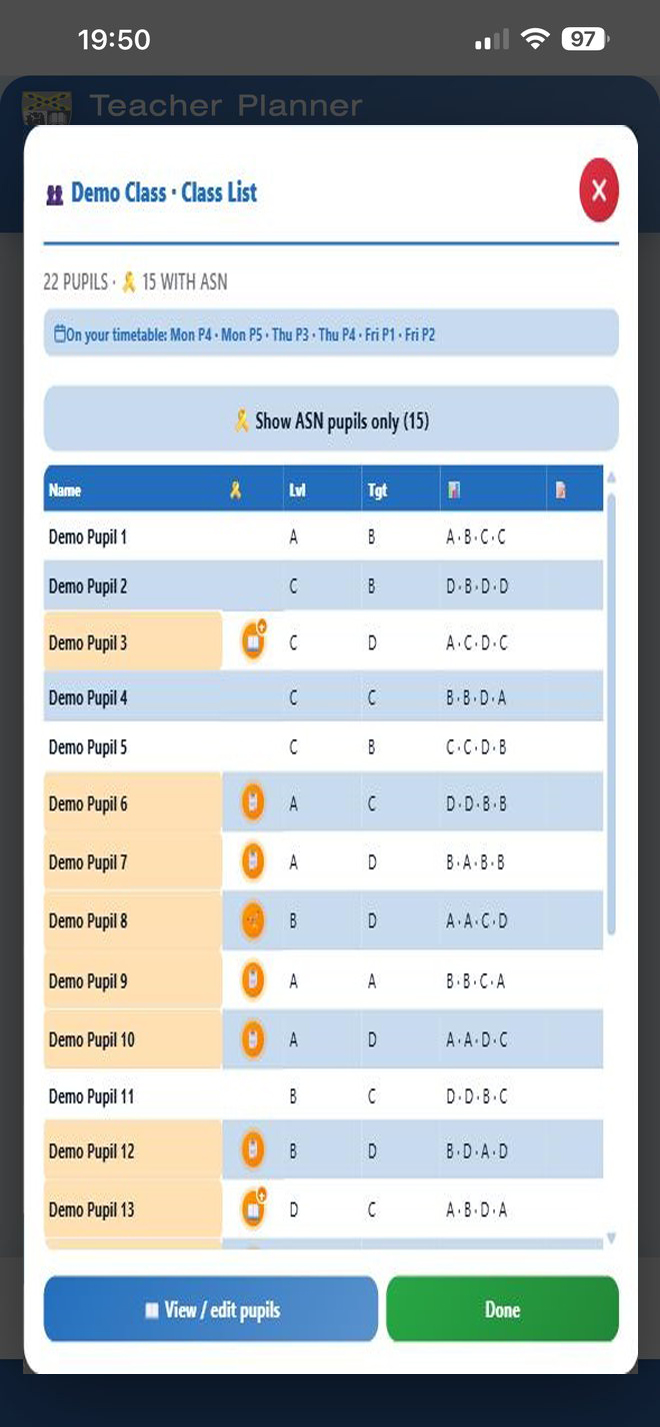
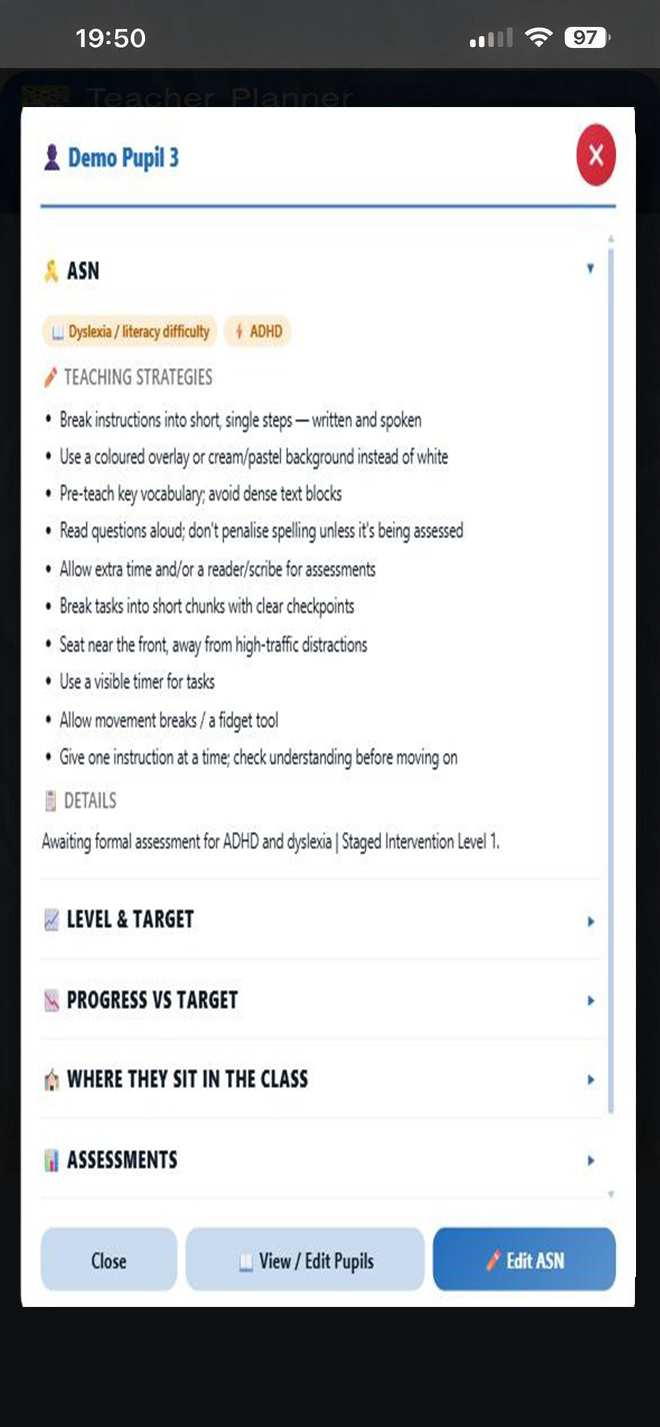
ASN, at a glance
A full class list with ASN flagged, levels, targets and every assessment mark in one table — built for Stranraer Academy’s classes, not a generic gradebook.
Every pupil name and mark shown here is made up — these are demo classes, not real ones.
Extra peace of mind
Set a 4-digit PIN and the planner locks itself after a few minutes of inactivity — on top of your phone’s own screen lock. Forget the PIN and a recovery question gets you straight back in, with nothing lost.
Off by default — turn it on any time in Settings.
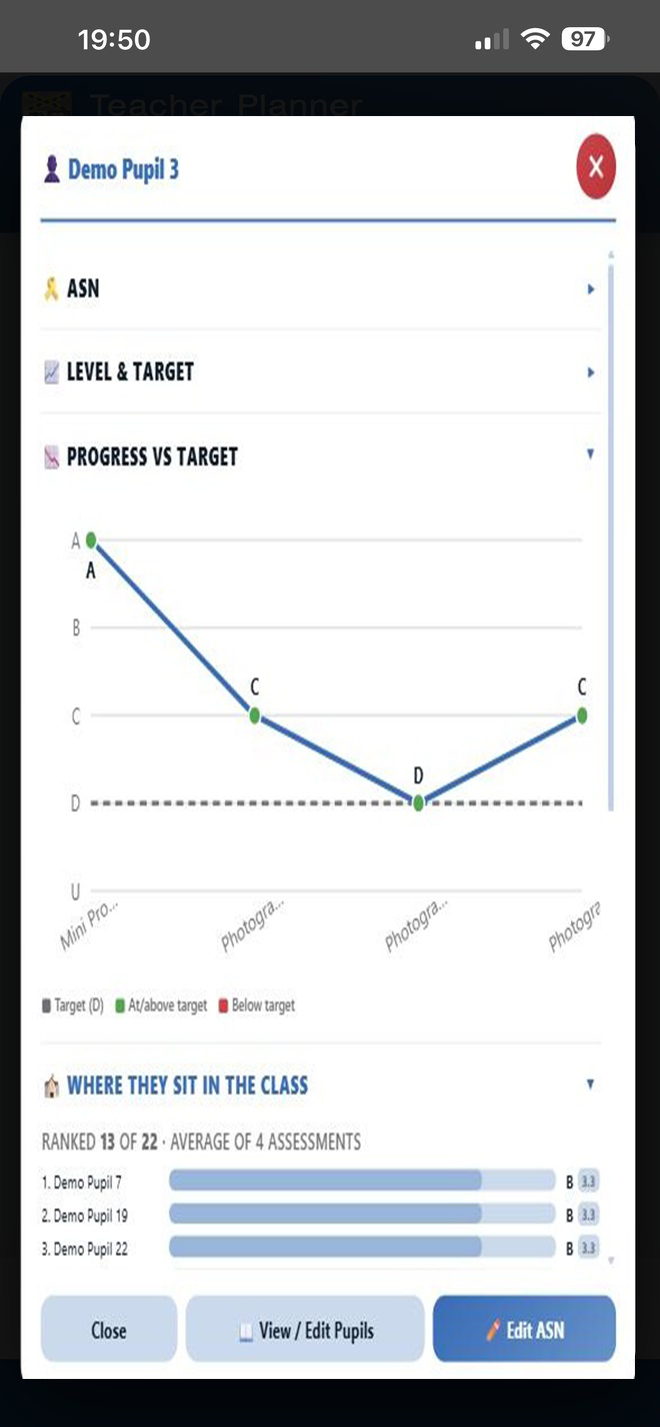
Who’s doing well
Every assessment plotted against target level, plus a full class ranking — spot who’s ahead, who’s behind, and who needs a word before the bell.
Sample class, invented names and marks — shown purely to illustrate the layout.
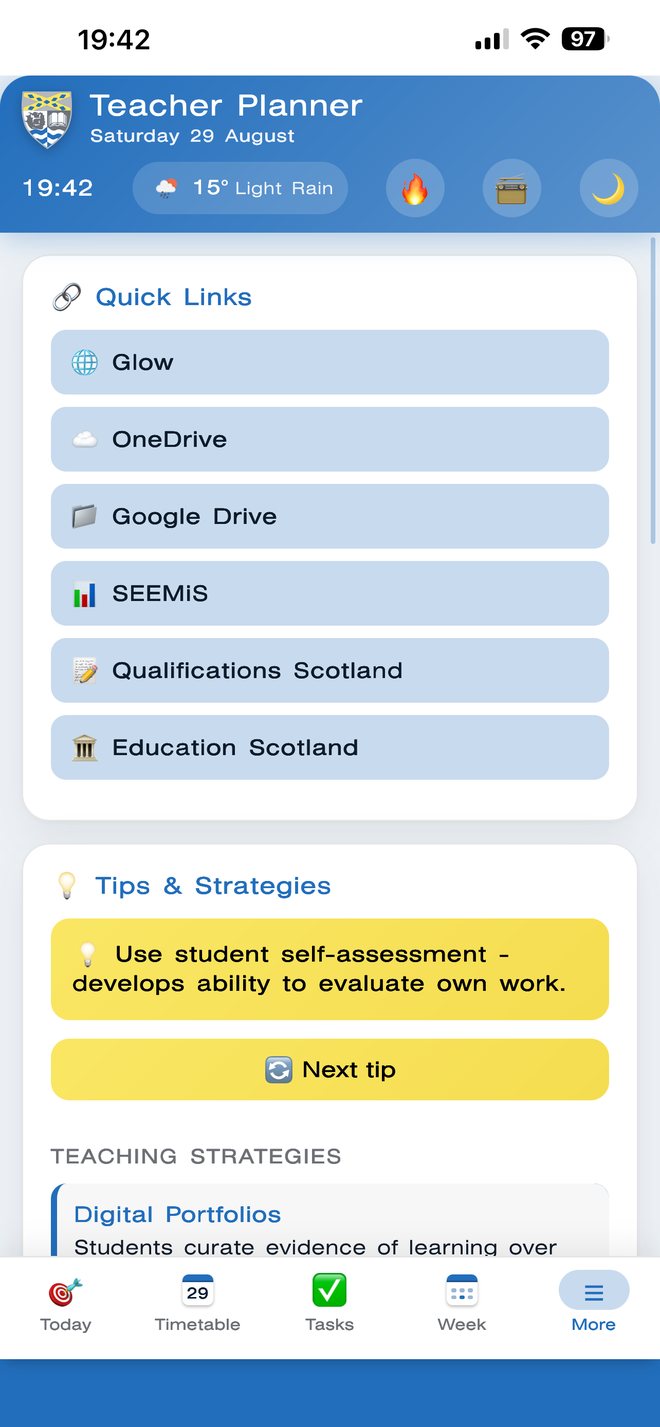
Quick links
Every system you use daily, one tap away from the home screen. No more hunting through bookmarks or typing out long URLs.
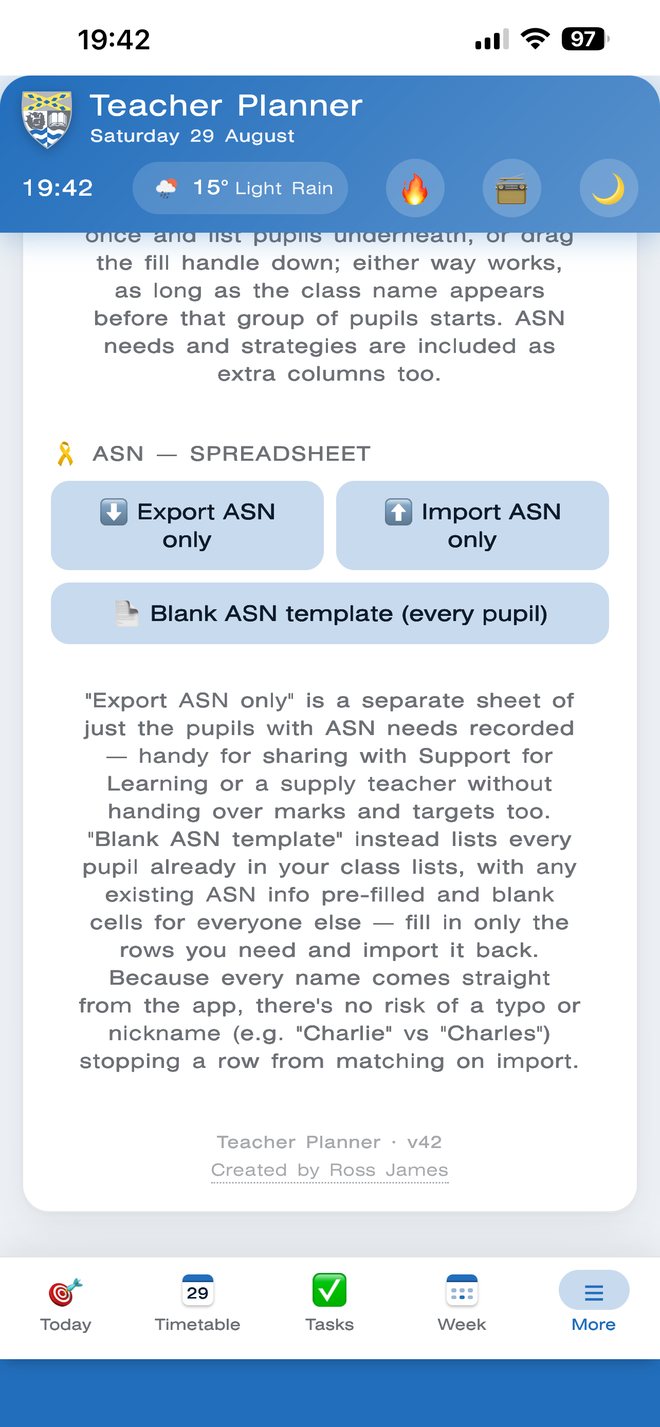
Export & share
Export classes and ASN data straight to a CSV for Excel, Sheets or Numbers — edit it, then import it straight back in. Round-trips with the school spreadsheet in seconds, no retyping.
A little extra
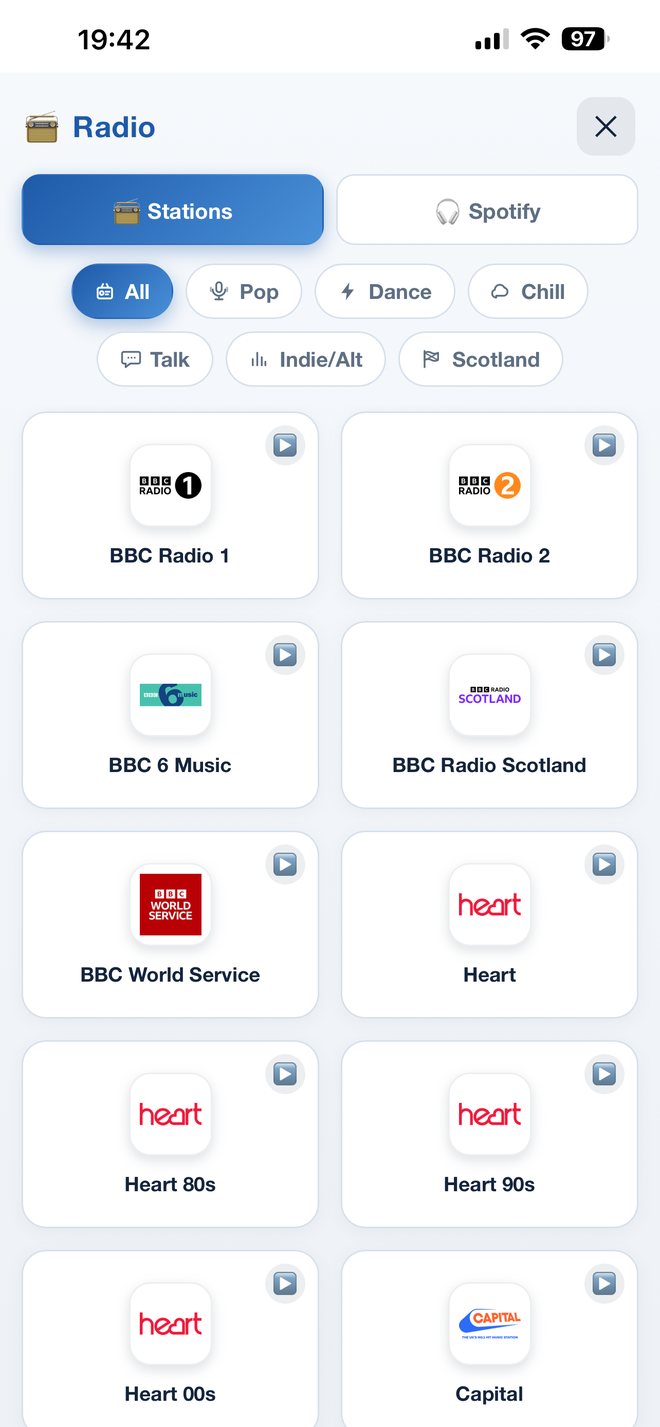
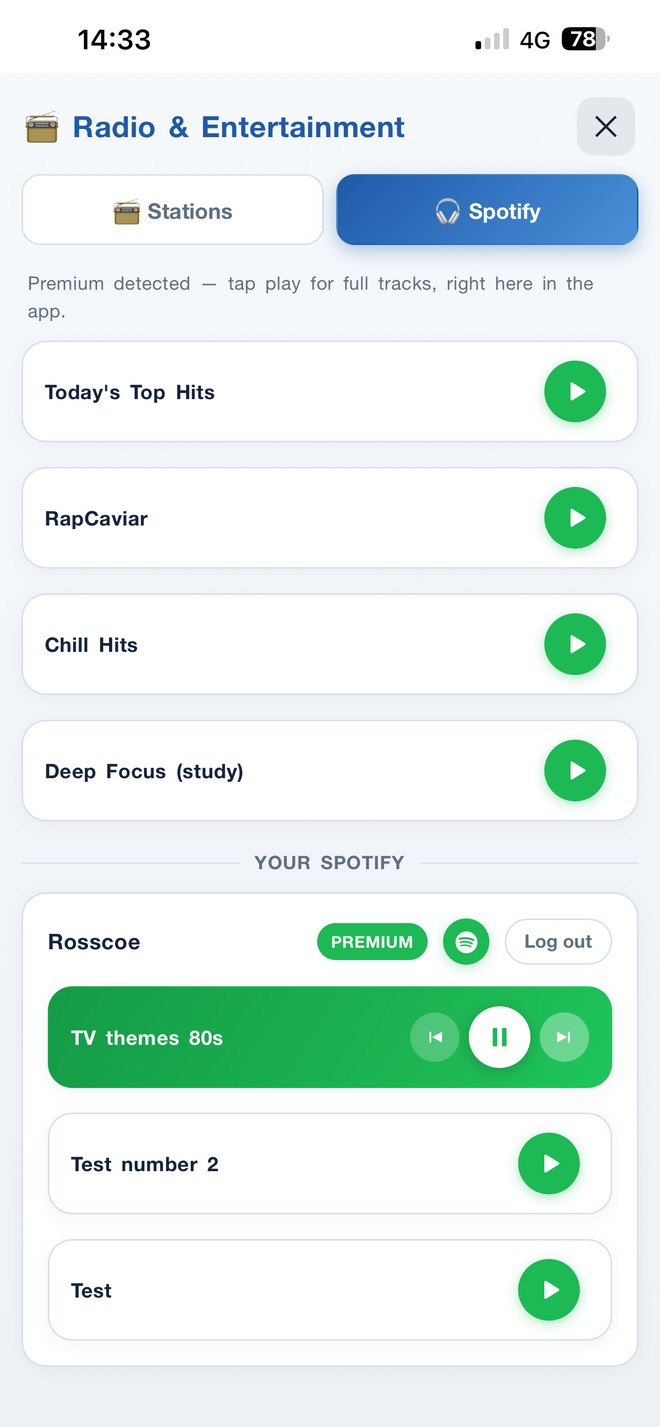
Over 20 stations across Pop, Dance, Chill, Talk and Scotland — BBC Radio 1/2/6 Music, Heart, Capital, Classic FM and more — plus a Spotify tab. There’s a Trending tab too, for quick news, education, tech and sport headlines.
Music while you work
Start a station and it keeps playing in a mini-player while you get on with everything else — tasks, timetable, marking. Pause, skip or stop it without ever leaving what you’re doing.
Get it on your phone
No app store, no login to remember, no download. It installs like a real app and works offline once it’s loaded.
You’re already in the right place — if you’re on a laptop just now, browse to this same page on your phone in Safari or Chrome.
iPhone: tap Share, then “Add to Home Screen.”
Android: tap the menu, then “Install app.”
It opens like any other app — no browser bar, no faff.
The install button and the planner itself are just below.
On your phone, use the steps above to add it to your home screen — on a desktop or laptop it opens full-size in the browser.
30-day free trial, then £9.99/month… just kidding. Free forever.
Every screen on this page uses demo data. All pupil names, ASN details, levels and marks shown are fictional — no real pupil information is published here.
Stranraer Academy · Teacher Planner
Your whole teaching day, on your phone. The Teacher Planner installs straight to your home screen — no app store, no login to remember, and it keeps working offline once it’s loaded.
It’s built around Stranraer Academy’s own timetable and classes, not a generic template. Whatever’s on right now is highlighted with a live countdown, the full week sits in one colour-coded grid, and tasks sort themselves by priority and category — with a push reminder on the morning they’re due.
Your class lists come with ASN flagged, levels and targets, every assessment mark, and the teaching strategies pulled straight from the Class Profile Data — plus progress against target and where each pupil sits in the class. Add one-tap links to Glow, SEEMiS and OneDrive, CSV export and import that round-trips with the school spreadsheet, and a radio player that keeps going while you work.
Free for all staff, forever.
Randomly select students for classroom participation:
• Cold calling for answers without bias
• Choosing volunteers when multiple hands are raised
• Selecting students to present work or read aloud
• Picking team leaders or partners for group work
Generate a random number from 1 to 6 for quick decisions:
• Choose which group presents first (assign each group a number)
• Select a question number from your worksheet or quiz
• Pick a starter activity (number your tasks 1-6)
• Decide turn order for games or class discussions
• Break ties when multiple students want the same role
Perfect volume for learning! 🎓
Professional Assessment Tool for Scottish Qualifications
| Criteria |
|---|
Track individual student performance and lap times
Create Spectacular Educational Puzzles
You found all the words! Amazing job! 🌟
Create Your Custom Puzzle
Guess the word before it's too late!
Congratulations!
Are you sure you want to reset all your stats? This cannot be undone!
Error message
Create stunning QR codes instantly
Generate your creative word prompt
Click the button below to get a random photography theme for your photography. Use this word as inspiration to capture a unique image that explores the concept creatively.
Click on any country to discover its capital, language, and culture
Hover or click any element to explore
Stranraer Academy
This tool uses your device's motion sensors to detect tilt and level. Tap the button below to activate.
Works best on mobile devices with gyroscope sensors.

Help us build the tools you need for better teaching and learning